







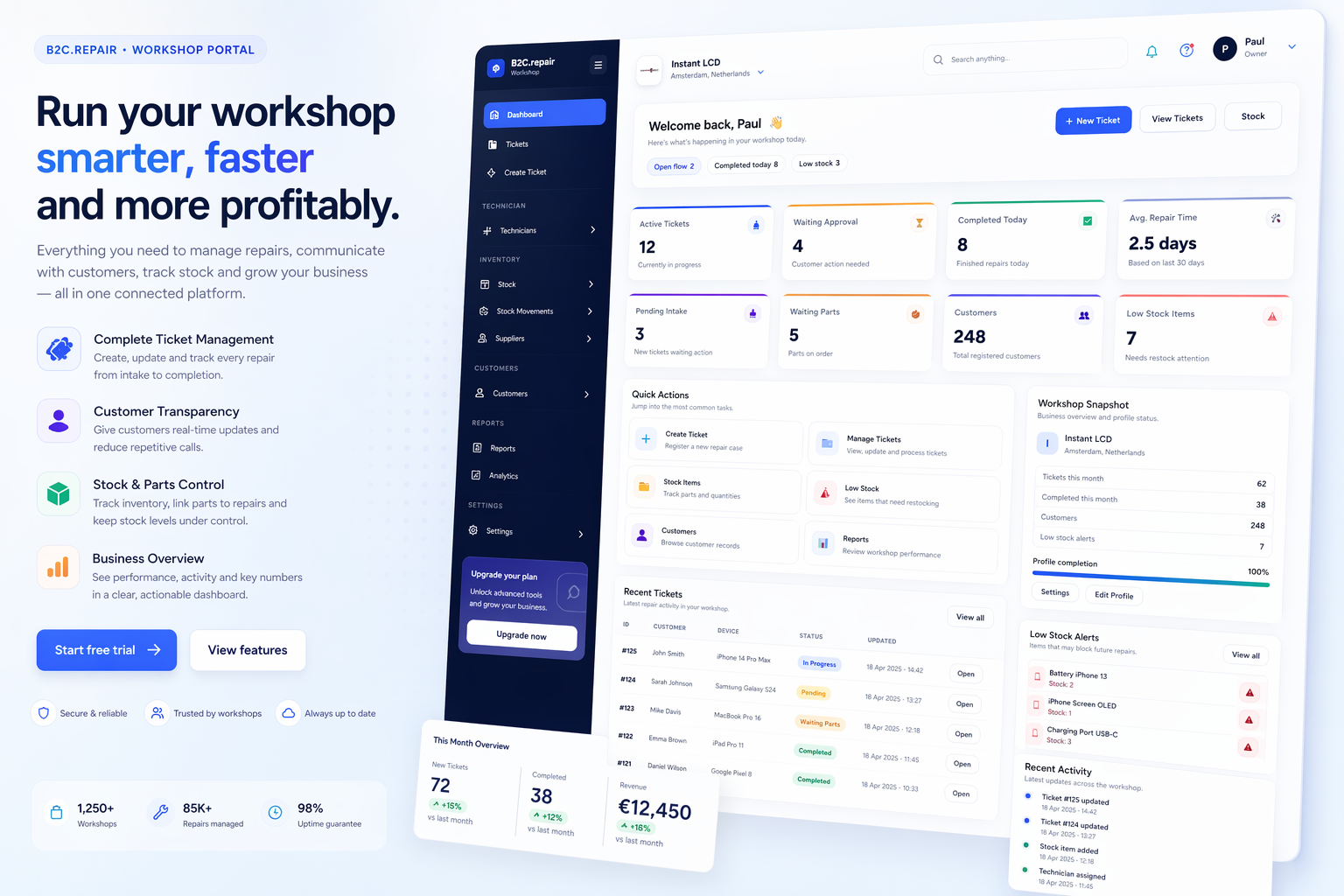
A clear workshop dashboard means faster answers
When tickets, statuses and priorities are visible in one place, the workshop can respond faster and keep every repair more organized from intake to pickup.
B2C.repair helps workshops manage ticket intake, repair progress, customer updates, approvals and stock-linked spare parts inside one cleaner, more professional operating system.
Customers can follow progress, receive updates and approve work in a cleaner service flow.
Repair activity, stock usage and communication stay connected to the same workflow.
The platform combines customer-facing transparency with workshop-side control, so the service process stays cleaner from first intake to final pickup.
Create structured repair tickets with customer, device and issue details in seconds.
Give customers a secure way to check repair progress without repeated calls to the workshop.
Send updates when the repair moves through key stages or becomes ready for pickup.
Upload intake images, diagnostics and completion photos to keep a stronger repair record.
Send repair quotes and request approval before chargeable work begins.
See current activity, repair statuses and operational movement from one central view.
Manage spare parts inventory, track quantities and monitor current stock levels in real time.
Track stock in, stock out and manual adjustments with a clearer movement history.
Assign parts to tickets and keep material usage tied directly to the repair workflow.
The system keeps repair flow, spare parts usage and customer visibility aligned inside one operational process.
Add customer and device details when the workshop receives the item.
Give the customer a simple way to follow repair progress online.
Assign spare parts to the repair and keep inventory aligned.
Move the job through stages while keeping the ticket history organized.
Finish the job and notify the customer with a more professional flow.
Workshops need more than a simple ticket list. They need a structured system that keeps customer communication, repair history, status changes and spare parts usage in one place.
A more professional customer journey creates better trust. With clearer progress visibility, fewer misunderstandings and faster updates, the repair experience becomes easier for everyone.
A cleaner workflow does not only help the team today. It also makes the workshop easier to scale, standardize and manage over time.
Stop relying on scattered notes, disconnected chats and memory-based updates.
Customers get more visibility, and the workshop gains a more structured operational process.
Technicians and staff can work from one shared repair system instead of fragmented tools.
Use a workflow that still makes sense as ticket volume, staff and complexity increase.
If you want this page to look even more premium, add platform screenshots, workshop visuals or custom icons that support the main feature areas.
When tickets, statuses and priorities are visible in one place, the workshop can respond faster and keep every repair more organized from intake to pickup.

A public tracking page gives customers a simple way to check what is happening, what stage the repair is in and whether anything needs their approval.

When spare parts and quantities are tracked properly, the workshop can plan work more accurately, reduce delays and keep customers better informed.

From the moment a device is received, a cleaner process and a more professional workshop environment help customers feel more confident about the repair.
Choose a setup that fits your workshop and bring more structure, visibility and professionalism into daily repair operations.